Bluetooth 5.1 Headset True Wireless Earbuds
Tws Earphones Headphones +power Bank
USD $12.99
Condition : New
Free Shipping

Notify me when the price drops
We will email you if we find a lower price on this product!
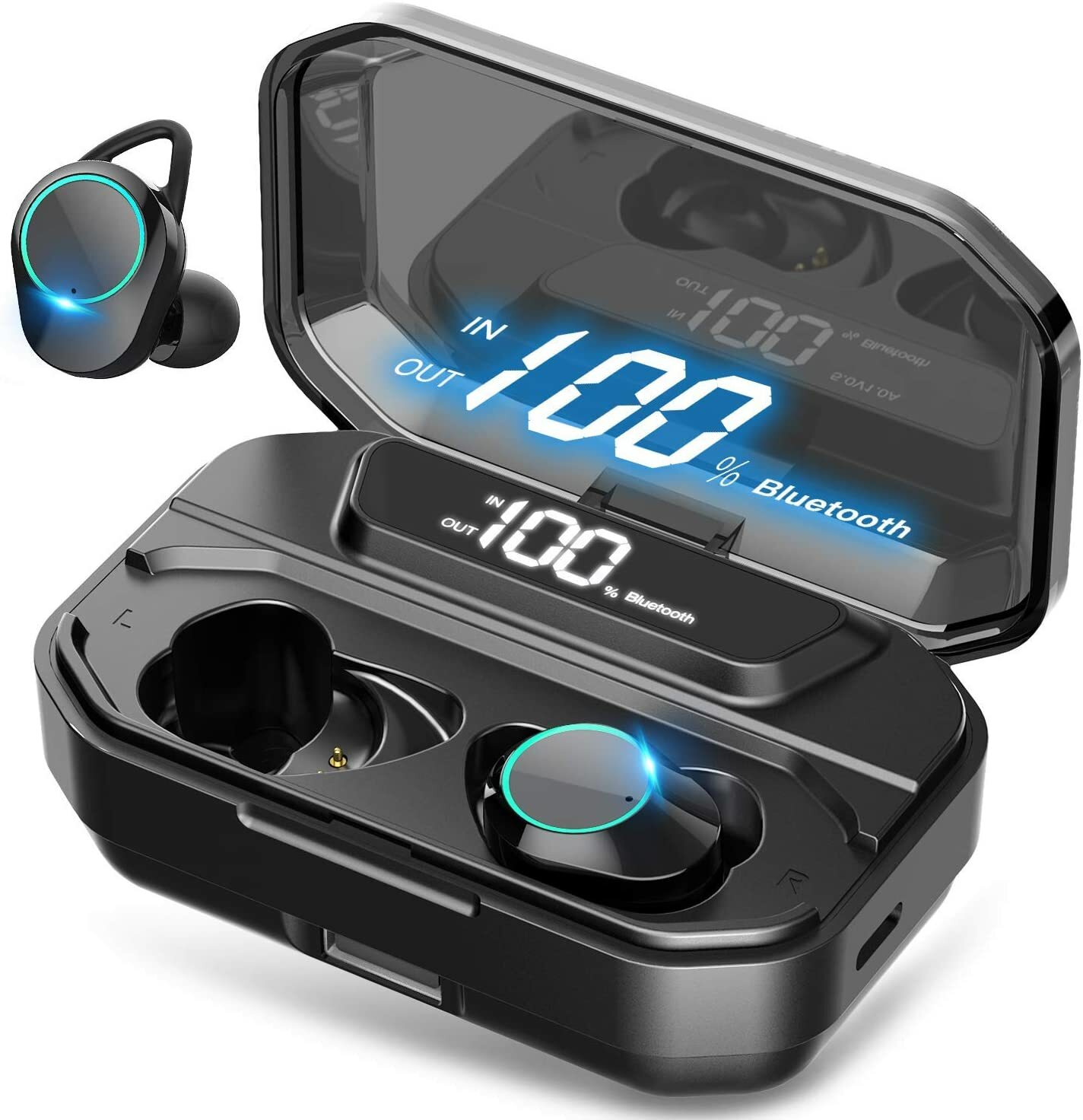
Bluetooth 5.1 Headset True Wireless Earbuds TWS Earphones Headphones + Power Bank
Individual power display of earbuds and charging case:
Intelligent LED display shows how much battery remain for the charging base and both earbuds.
Up to 90 hours play time, charge as you go:
Wireless earbuds can play for 4 hours on a single charge. The built-in 2000mAh rechargeable battery charging case provides 90 hours of additional playback time. Lots of music enjoyment without worrying about battery life.
Latest Bluetooth 5.1 technology, one-step pairing:
Ensure your great experience with fast, stable and efficient transmission.
Snug fit:
Ergonomic designed to fit comfortably in your ears for active lifestyle, F9 TWS Stereo headphones come with three adjustable ear cup sizes right from the box, you can focus on reaching new heights in your workouts.
IPX7 Waterproof:
These true wireless earbuds against damage from sweat or rain. Perfect for fitness travelling and etc. Note: the charging case is not waterproof.
Specifications:
Model: 5.1
Wireless Version: 5.1
Speaker Diameter: 8mm
Working Distance: 10-20m
Call Time 5-6 hrs. (Fully charged)
Play Music Time: 5-6 hrs. (Fully charged)
Standby Time: 650 hrs. (With charger case)
Frequency:2402-2480 MHz
Battery Type: 3.7V > 50mA Li Battery
Charging Time: 1-2 hrs.
Included items:
2x Earphone (Earbud)
3x Pairs of Earbud Tips
1x Charging Case
1x USB Cable
1x User Manual
Pairing Your Earbuds:
Once you receive your product, make sure you charge the case in full with the earbuds in it. If the earbuds are blinking with a blue light, that means they're not touching the charging slots of the case. With a slight touch push it down a bit till the blue light turns off and you barely see a red light.
Once the charging case is fully charged and the earbuds are charged, pull both earbuds out of the case at the same time. If they're both blinking blue, wait for few seconds till one of them stops blinking. If one of them stops blinking, it means the two earbuds paired to each other automatically. If they don't, tap the left earbud twice and see if one of the earbuds stops blinking. Once it does, you now have the two earbuds paired together. All you have to do is pair them with your phone.
Go to your phone, make sure your Bluetooth is turned on. Then scan for devices. Once scan is complete, look under the list of "available Bluetooth devices" for f9. Click on f9. Then you will be asked if you want to connect to it, click yes... that's it! You're connected.... enjoy your stereo HD sound quality!







 .
